
ZScreen Recorder, Record Video7.0 - Google Play
You'll be able to see results in few seconds.
Publisher Description

Record it!
ZRecorder & Record Video, Screen Recorder
is a reliable, and
easy-to-use
stream creator app.
Screen Recorder
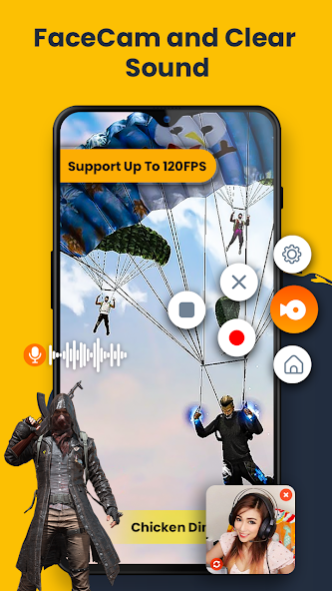
⏺️ allows you to record your favorite games 🎱, apps or screen audio 🎤 for tutorials, games, video demos and video call on your Smart Phones 📱. After recording or during screen recording you can add your face with ZScreen Recorder and add video
Reactions or your face with audio commentary
to further enhance your recording!. Besides
high-quality recording
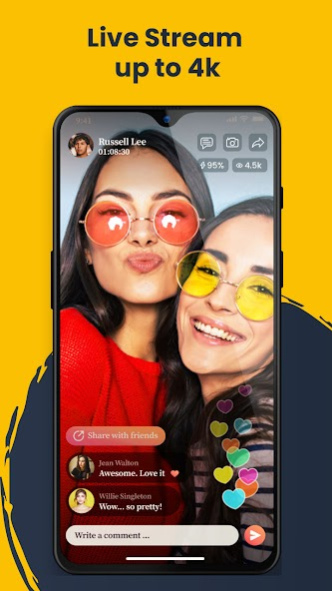
, ZRecorder also support video editing with different tools ⚙️. You can livestream your screen to Social platforms you can simply Just come and join the ZRecorder app and have fun.
Record it!
ZRecorder & Record Video, Screen Recorder RECORD HD screen videos you can select the best recording settings to record your game or any content you want. You can easily record your entire screen. You can easily
hide the recording window
for frameless video while recording or capturing screen, change the aspect ratio to widescreen, vertical or square. Brush: You can doodle on the screen while recording, write or draw anything you like. It only takes one touch to start recording on your phone with sound 🎤 , one single tap to
pause/resume
⏯️ at any time. Simple interface, easy to record games while playing. Support
HD video
, both portrait and landscape video orientation. Screen Recorder cares about your privacy which is why your videos and screenshots are saved locally on your device. No one has access to them except you. Speed Control ⏩ ,
Adjust the speed
of your video easily.
ZRecorder is a stable screen recorder/game recorder/video saver for android phone it allows you to capture screen with one touch and edit video with
filters, effects, music
🎵. Organize your all recordings in one simple application with easy access in one folder & Share directly to anyone. Add the screen recording feature to your control center, tap the Record button, and choose ZRecorder to record your screen and save videos to your device. Perfect Screen Recorder to show your friends how to complete a task, or how to achieve that perfect score in a game. Use your microphone to add audio commentary. Here are the video editing tools of Zscreen Recorder Trim video/Remove the middle part of the video, Add music 🎵, choose from a huge variety of awesome music, -
Change speed
, adjust video speed of different sections, Voice recording, help you make a commentary video,
Crop video
, crop videos to any ratio you want,
Compress video in Low, Medium & High
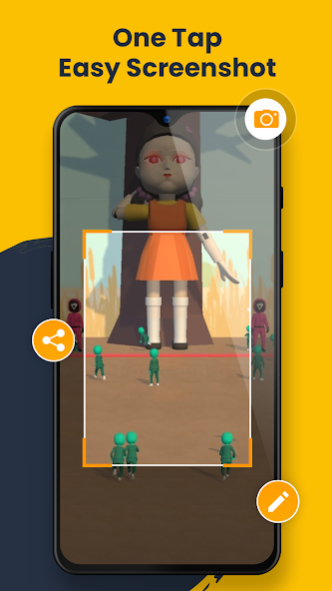
range enjoy all the features with the best app Record it! ZRecorder & Record Video, Screen Recorder. Zscreen Recorder Brings powerful screen recording technology to your mobile. A completely free screen recorder without watermarks. Disable the record button during screen recording. Capture screenshots with this Screen Recorder. Install this free screen recorder app to capture every extraordinary moment now!.
Please do feel free to contact us at appgenixdev@gmail.com if you have any problems or suggestion. And welcome to join us to improve ZScren Recorder together.
About ZScreen Recorder, Record Video
The company that develops ZScreen Recorder, Record Video is Appgenix Apps. The latest version released by its developer is 7.0.
To install ZScreen Recorder, Record Video on your Android device, just click the green Continue To App button above to start the installation process. The app is listed on our website since 2022-08-18 and was downloaded 0 times. We have already checked if the download link is safe, however for your own protection we recommend that you scan the downloaded app with your antivirus. Your antivirus may detect the ZScreen Recorder, Record Video as malware as malware if the download link to com.zscreenrecorder.videorecorder.hdquality.recordanyscreen is broken.
How to install ZScreen Recorder, Record Video on your Android device:
- Click on the Continue To App button on our website. This will redirect you to Google Play.
- Once the ZScreen Recorder, Record Video is shown in the Google Play listing of your Android device, you can start its download and installation. Tap on the Install button located below the search bar and to the right of the app icon.
- A pop-up window with the permissions required by ZScreen Recorder, Record Video will be shown. Click on Accept to continue the process.
- ZScreen Recorder, Record Video will be downloaded onto your device, displaying a progress. Once the download completes, the installation will start and you'll get a notification after the installation is finished.
Program Details
System requirements
Download information
Pricing
Version History
version 7.0
posted on 2022-08-18
Disclaimer
Official Google Play Link
We do not host ZScreen Recorder, Record Video on our servers. We did not scan it for viruses, adware, spyware or other type of malware. This app is hosted by Google and passed their terms and conditions to be listed there. We recommend caution when installing it.
The Google Play link for ZScreen Recorder, Record Video is provided to you by apps112.com without any warranties, representations or guarantees of any kind, so access it at your own risk.
If you have questions regarding this particular app contact the publisher directly. For questions about the functionalities of apps112.com contact us.
